Parts 01 · 02 · 04
A website that carries all your products.
A catalogue that never goes stale.
The website carries the full product range with a page per product, filters and two languages, plus an admin panel that adds a product in minutes. The catalogue is generated from the same products on request. And the virtual showroom shows your slabs on your website as they stand in your hall.
Where are your products today?
An old website nobody updates
Its last product is two years old, the photos are small, and nobody knows the password.
Products on WhatsApp
Scattered photos with no names or sizes, sent again from the staff phone every time.
Customers search and do not find you
They type “quartz Amman” into Google and find your competitors; and there is no product page to send to a spouse.
A website that carries all your products
- A page per product: photos, description, origin, sizes, finish, properties, uses.
- Filters by category, colour family and use, with similar products.
- Arabic and English with one button; every text is written in both languages from the panel.
- A WhatsApp button from every product to your showroom.
- An admin panel where you add a product in minutes: photo, specs, category.
- Search-engine ready, with Google Maps, opening hours and reviews.
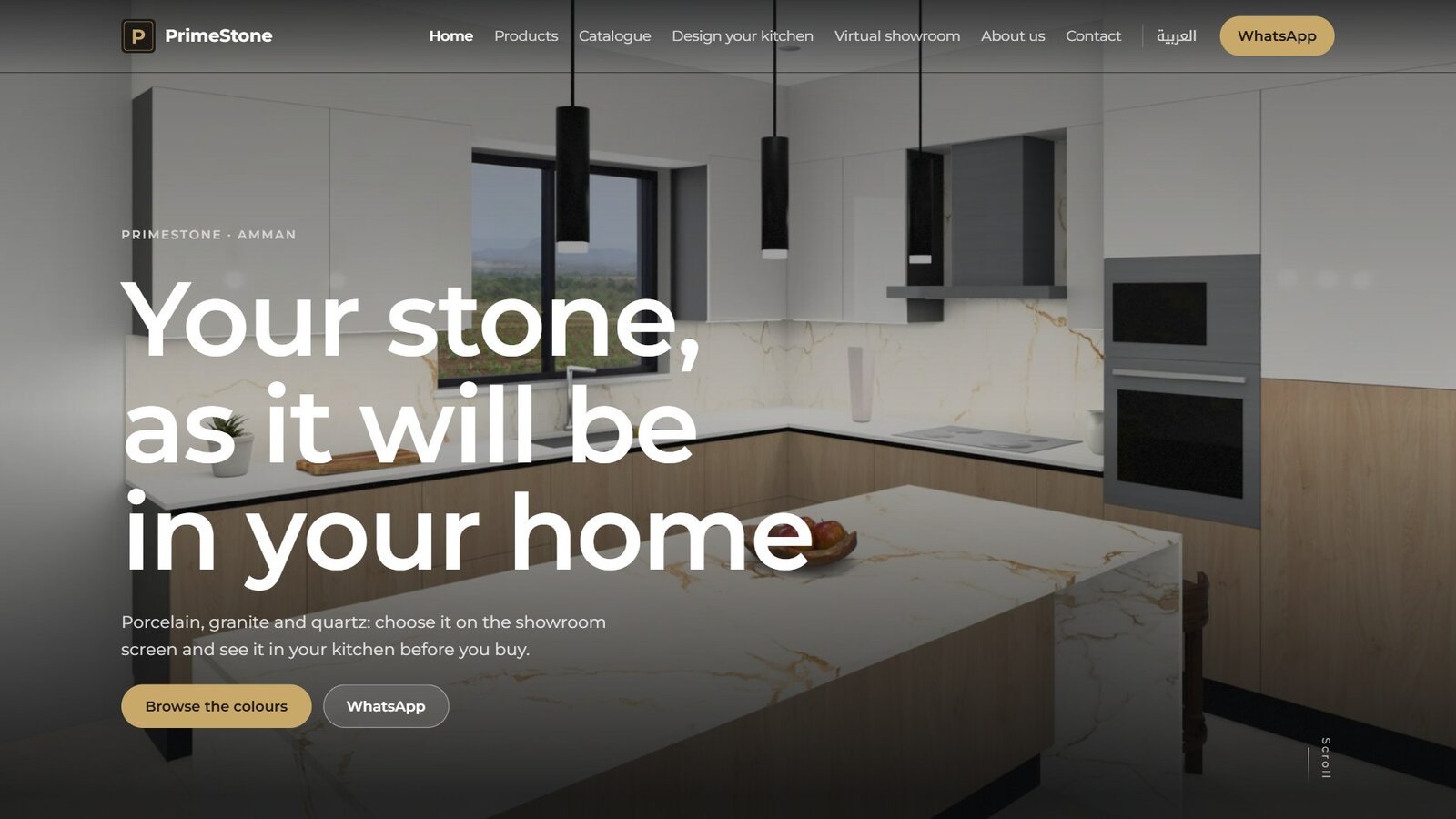
The home page: what a visitor sees first
Hero
A photo from your showroom or from Tarkeeb, one line, and a button to the products.
Categories
Quartz, marble, granite, sintered stone... with a photo and a product count each.
Latest products
Every new product you add in the panel appears here automatically.
Catalogue and footer
The catalogue button, phones, showroom WhatsApp, hours and the map.
The product page: everything a customer asks
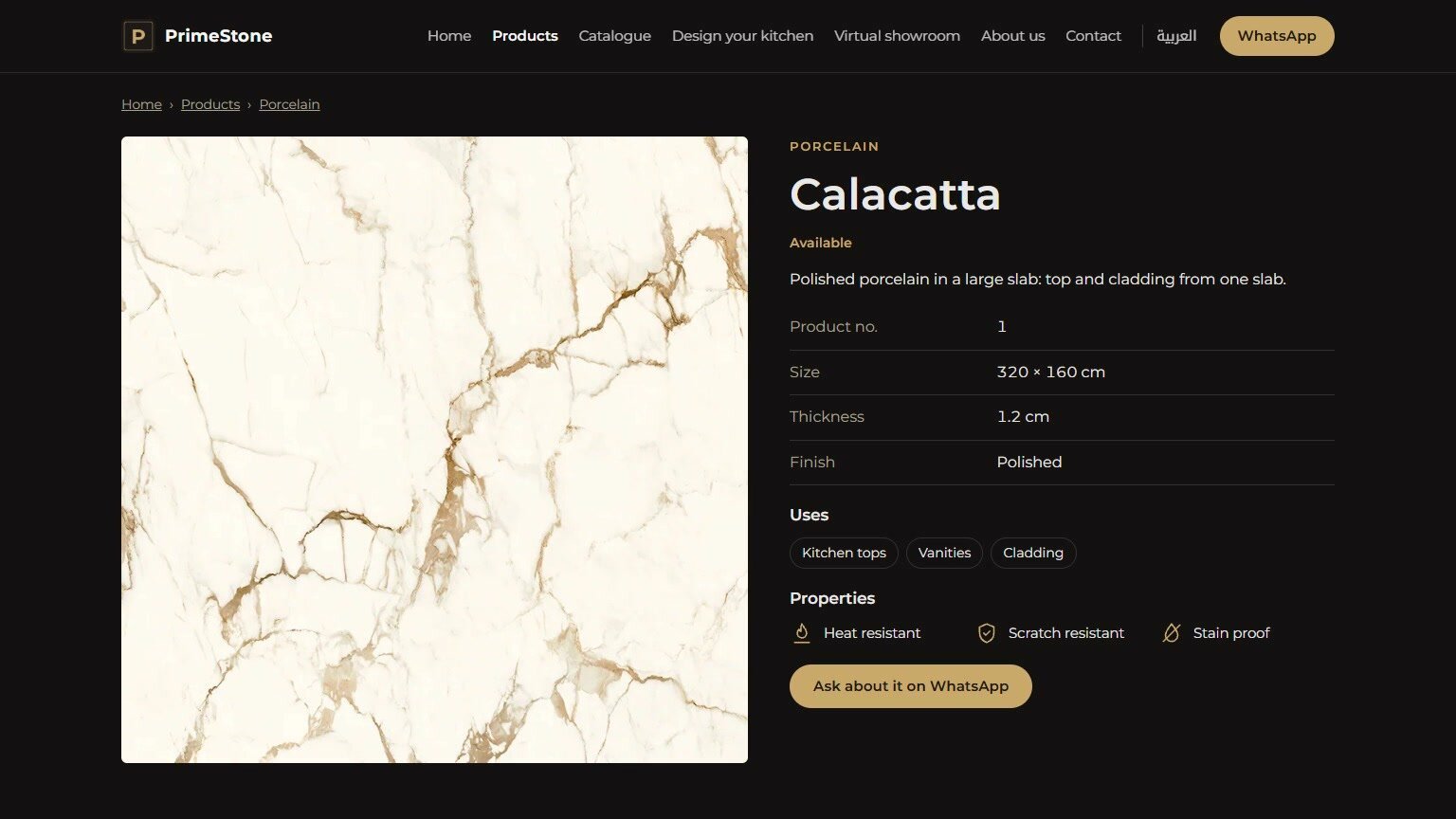
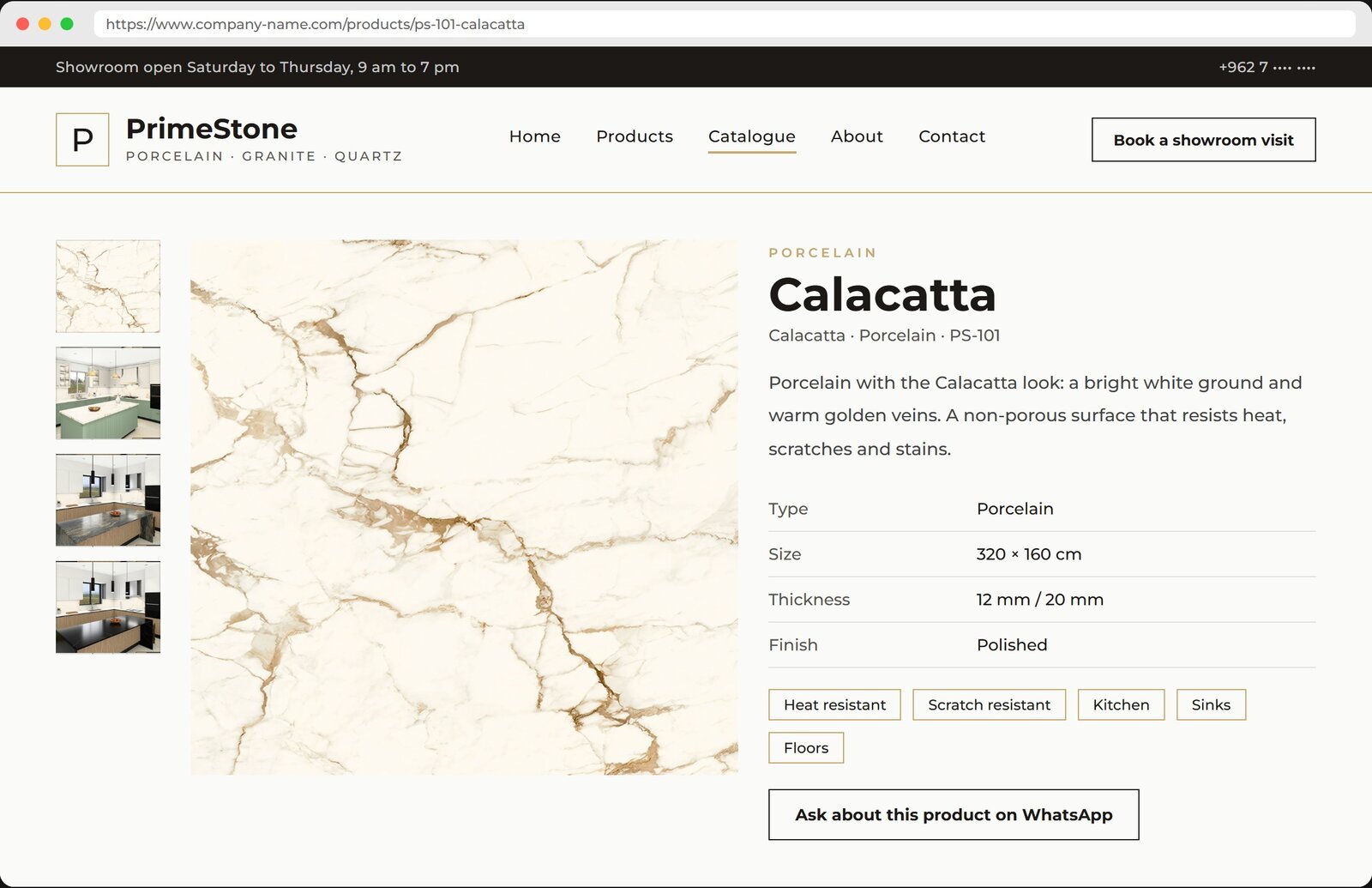
Photos
The flat slab photo, fitted photos, and a gallery.
Specifications
Origin, size, thickness, finish, properties, uses.
A button from the page to your showroom WhatsApp with the product name.
The admin panel: you run the website without a developer
Products
Add a product with photo and bilingual specs in minutes; hide, order, edit.
Categories
Categories with photos and order, and colour families for filtering.
Texts and slides
Hero slides, “About us”, contact details, hours and the footer.
Identity
Logo, two colours and font; change them in the panel and the whole site follows.
Search engines
Title and description per page, Google Maps, reviews, structured data.
Catalogue
Default design, cover, “About us” and its numbers, visible categories.
Everything entered in the panel reaches the website, the catalogue and the Tarkeeb screen at once.
Arabic and English from the same panel
- One button in the header switches the language on every page.
- Product name, description and specs in both languages from the panel.
- Search engines see both pages, Arabic and English.
- The catalogue comes out in either language.
- No external translation needed: the fields are ready; you fill them or we fill them for you.
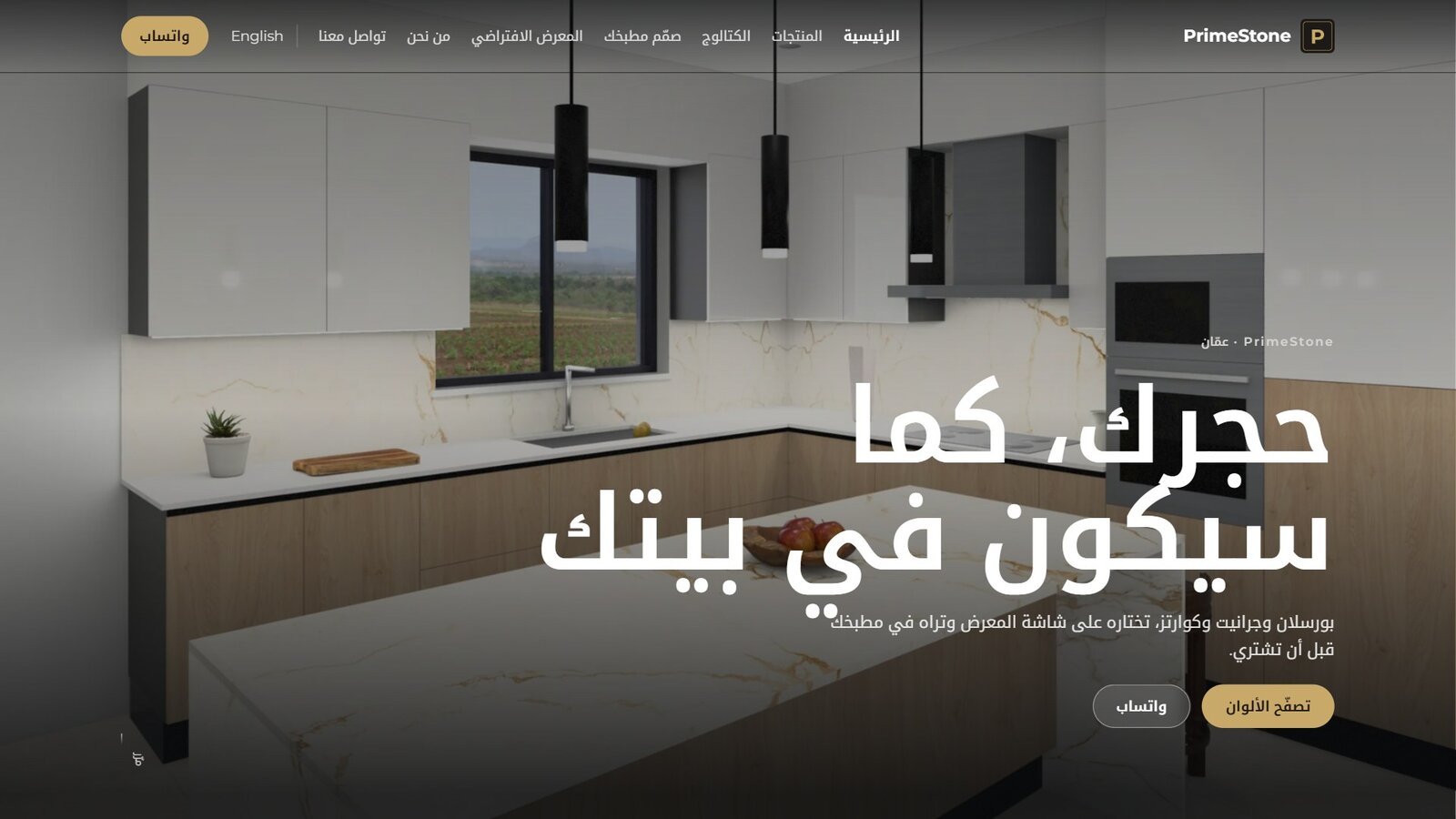
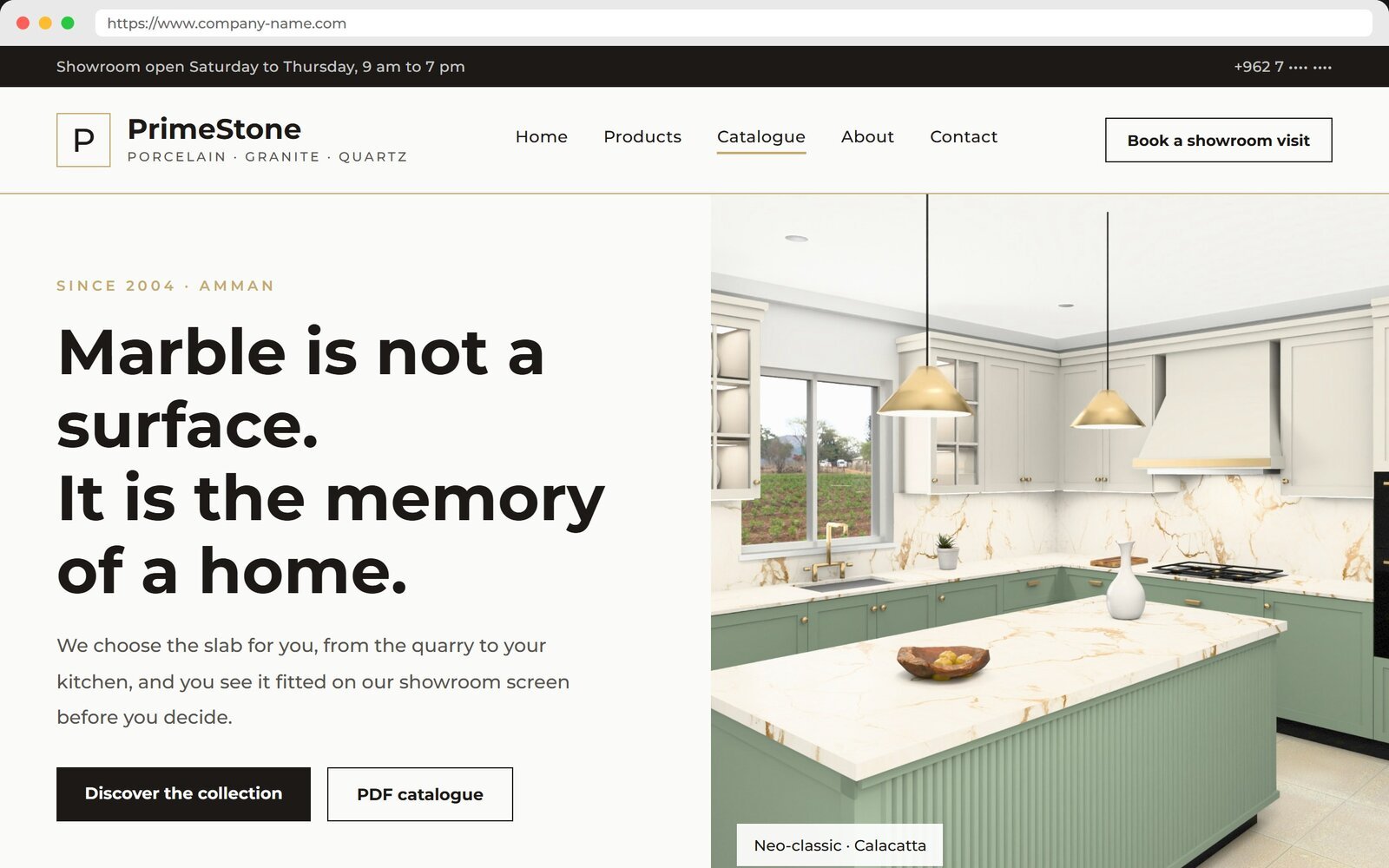
Two different templates, one idea
Company websites should not look alike: two templates with different designs, and each company puts its own identity on top. Both brands are fictional.
Two editions: choose what fits you today
One template, sold in two editions. The difference is the catalogue and what connects to it. Upgrading from A to B is one click on our side, with no rebuild.
| Edition A: Website | Edition B: Website + Catalogue | |
|---|---|---|
| Home page, products page and product page | Yes | Yes |
| Arabic and English, WhatsApp, admin panel, search engines | Yes | Yes |
| Export products to the Tarkeeb screen in one click | Yes | Yes |
| Catalogue: PDF company profile in two designs | — | Yes |
| A page per product in the catalogue with a QR code to its page | — | Yes |
| Catalogue section in the panel: design, cover, “About us” | — | Yes |
| Upgrade from A to B | One click, our side | No rebuild |
The catalogue is a tool we switch on or off per company; a company that starts with edition A gets the catalogue the day it wants it.
Part 02
A catalogue that never goes stale
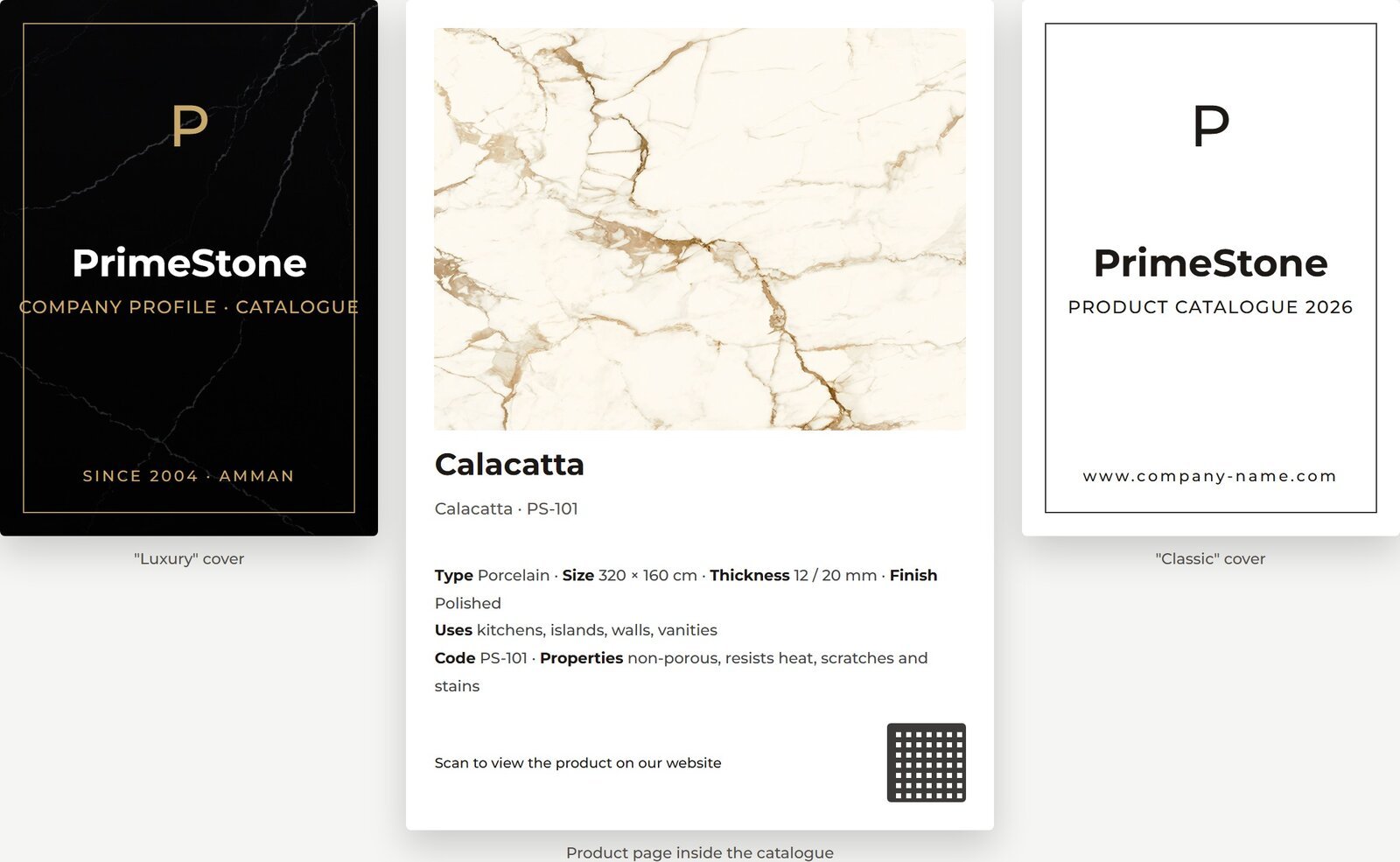
The catalogue is generated from the website products the moment it is requested. Two ready designs, two languages, a choice of categories or specific products for a specific customer, and a page per product with a QR code.
- Generated from the website products on request: every new product appears at once.
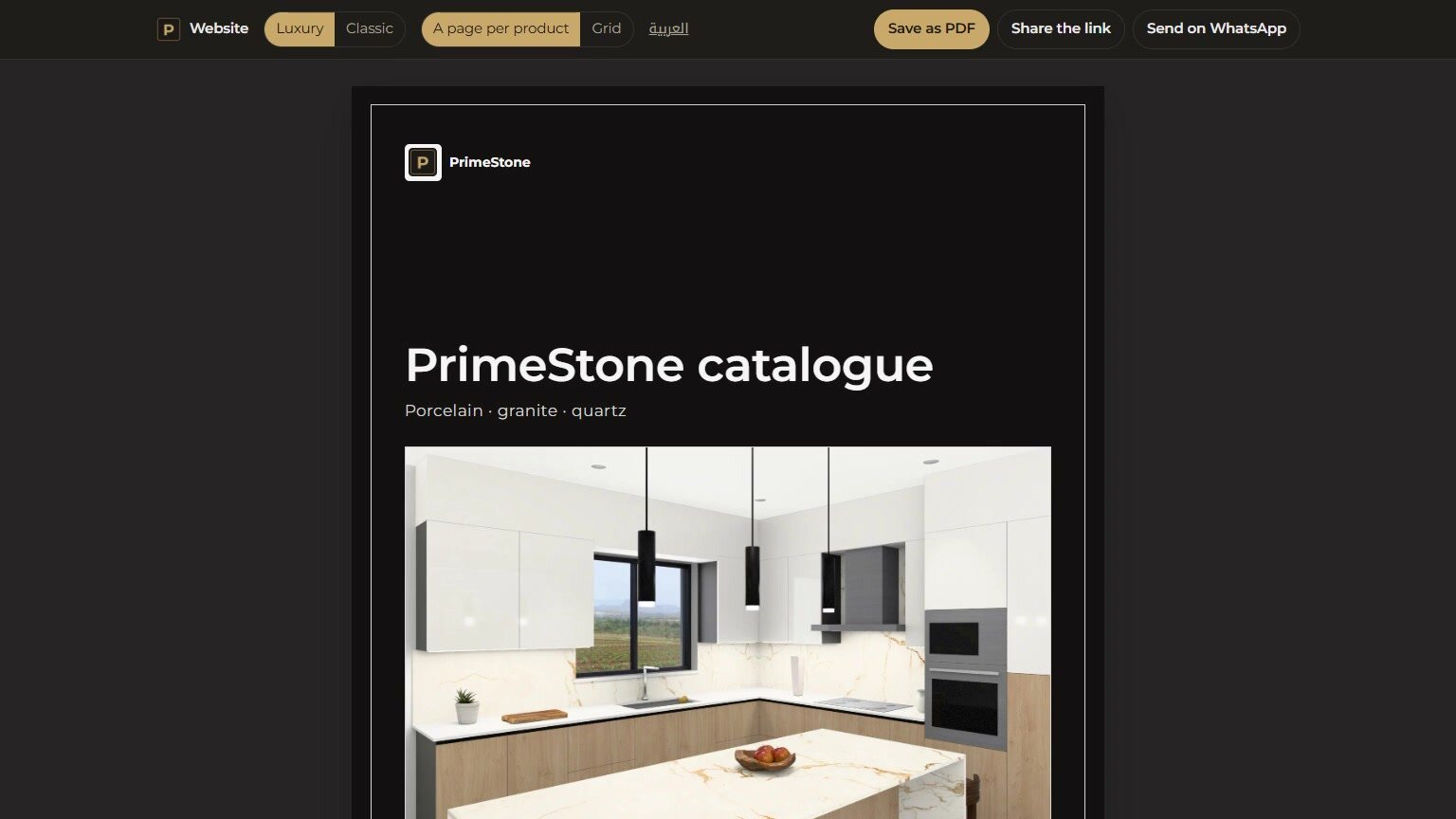
- Two ready designs: “Luxury” with a dark cover, and a light “Classic”.
- Arabic and English.
- All categories, selected categories, or specific products for a specific customer.
- A page per product with its photo, specs and a QR code to its page on your website.
- A PDF for print, a link to share, and sending on WhatsApp.
From the website to the showroom screen in one click
Website panel
The product with photo, specs and number
“Export to Tarkeeb” button
A pack with brand, categories and slabs
Showroom screen
The customer places the same slab, same number
The catalogue reads the same products too; the website is the single source for every part.
Part 04
Your hall on your website, in 3D
A 3D showroom on the website shows the slabs as they stand in the real hall. Built per company on request.
- Visitors walk among your slabs as if they were in your hall.
- Every slab with its real photo, its name and a link to its page on the website.
- Works on phone and computer from the browser, no app.
- Built to match your hall, its signage and its layout, on request.
What we need from you
Identity file
- Logo as a transparent PNG (and a light version if you have one).
- Primary and secondary colours.
- Hero photos, an “About us” photo and one photo per category.
- Name in both languages, founding year, city, “About us” text.
- Phones, showroom WhatsApp, email, address and opening hours.
Products
- The whole slab, flat: shot straight on, no perspective, no reflections.
- JPG at quality 90 to 95, long side 4096 to 6000 pixels.
- Name in Arabic and English, category, origin.
- Size in centimetres, thickness, finish (polished or matt).
- One Excel sheet for all products; we give you the template.
Adds new products in the panel and answers the showroom WhatsApp. One hour of training, support by phone.
Delivery step by step
Agreement and identity file
Logo, colours, photos, texts and contact details, plus the template and edition.
Build in your identity
We set up the website on the chosen template in your colours and font within a week.
Products and review
We upload your products from the Excel sheet and your photos; you review them page by page.
Launch
On your domain and hosting, with Google Maps, reviews and search engines.
Catalogue and training
The catalogue is switched on, and one hour of panel training for your person.
Subscription and support
One-time build fee
Setting up the website in your identity, uploading your products and launching it.
Yearly subscription
Hosting, maintenance, updates and phone support.
The website in your name
The domain in your name, and the data and photos on your hosting.
Upgrade in one click
From edition A to B the day you want the catalogue, with no rebuild.
A company that takes the website and the showroom screen together gets its products from one source, one subscription for both parts, and a two-week trial of the showroom screen.
Prices and build fees are discussed in the meeting, by template, edition and number of products.
We show you both templates on your screen.
You choose the edition and the template, and we start with the identity file.