01
The website
All your products with photos and specs, a page per product, Arabic and English, and an admin panel that adds a product in minutes. Two templates with different designs, and your identity on top.
Website & catalogue page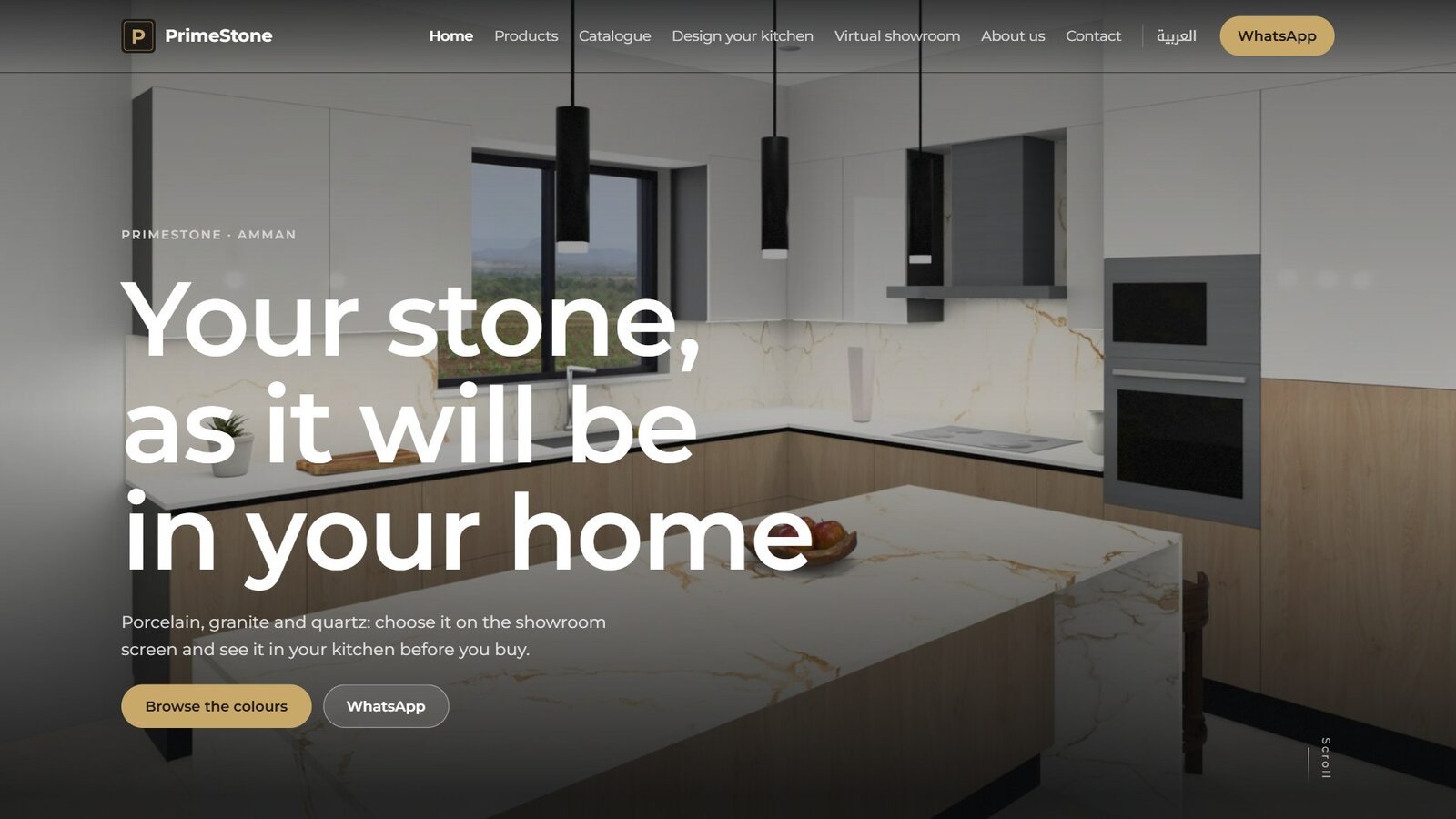
For marble, quartz and kitchen companies
One offer in five parts: a website with all your products, a catalogue that never goes stale, a Tarkeeb screen in the showroom, a virtual showroom on your website, and Kerfline Pro to run the workshop. What is updated in one place is updated everywhere.
Three problems every marble showroom knows. Each part of the offer solves one of them.
The customer sees a slab standing in the showroom and cannot picture it at home, so the decision waits or moves to a competitor.
WhatsApp, an old catalogue, a website nobody updates. The customer asks about a slab, and the staff go looking for its photo.
One slab too many per order, offcuts behind the rack nobody knows about, and every count turns into an argument.
The complete offer
The website is the base. A product is entered there once and reaches the catalogue and the Tarkeeb screen, and Kerfline Pro runs the workshop.
All your products with photos and specs, a page per product, Arabic and English, and an admin panel that adds a product in minutes. Two templates with different designs, and your identity on top.
Website & catalogue pageA PDF company profile generated from the website products the moment it is requested, in two designs, in your colours and font, with a page per product and a QR code to its page. A separate tool, switched on the day you want it.
Website & catalogue page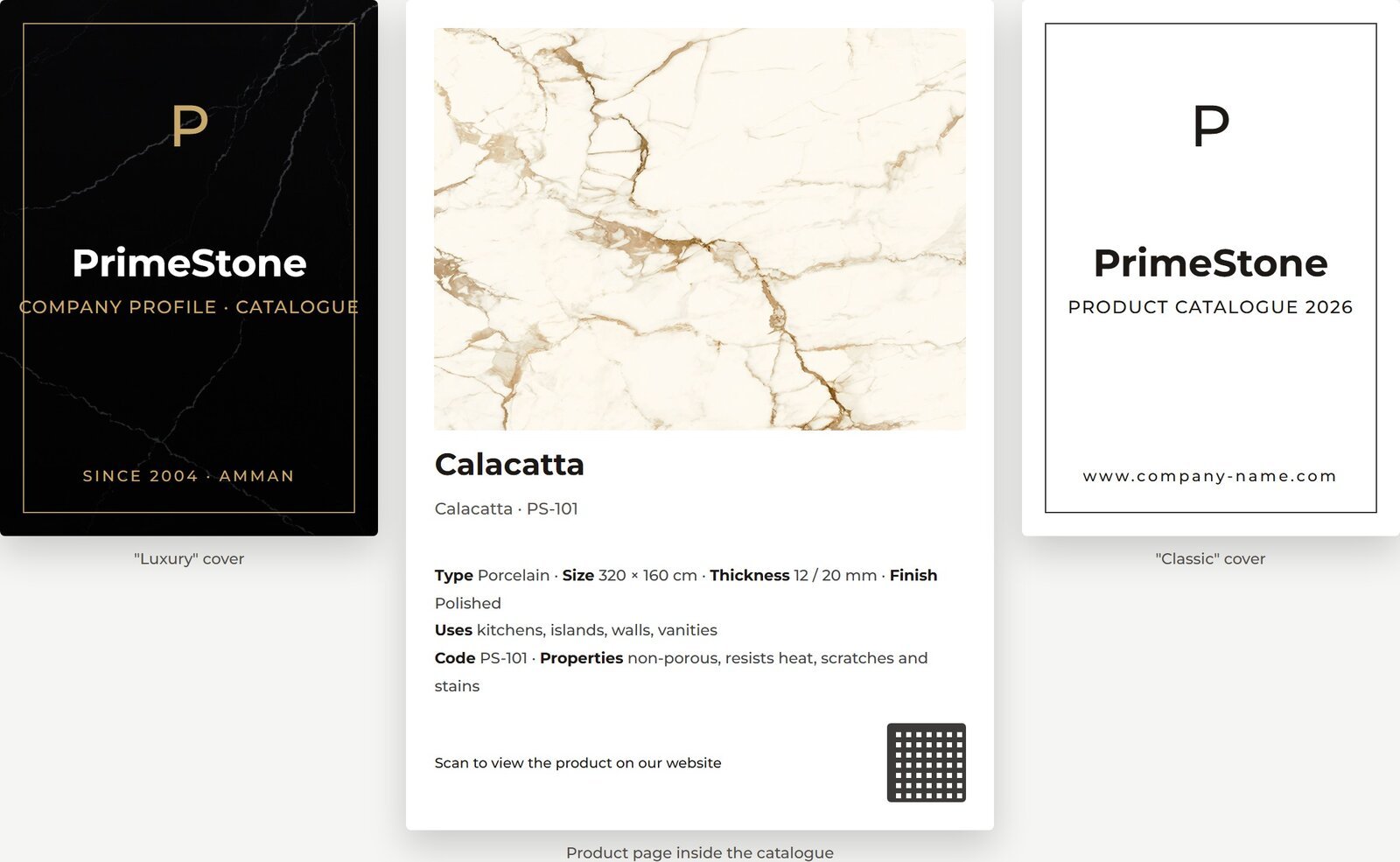
Customers place your materials on realistic kitchens, living rooms and bathrooms, compare two options, and leave with a sheet in their name and a WhatsApp message from your showroom. 15 scenes in the bright look, and it works offline.
Tarkeeb page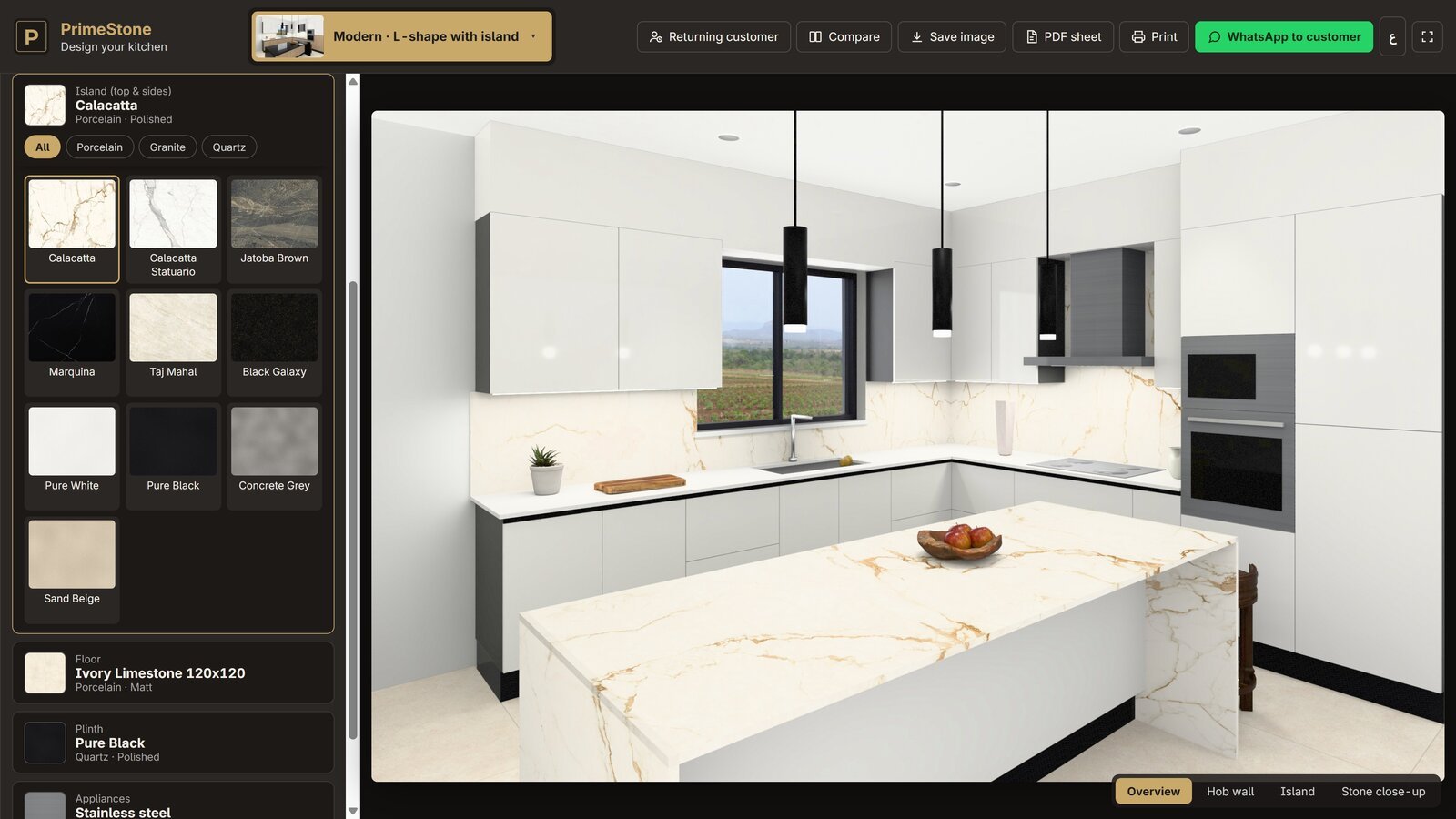
Your hall on your website in 3D: visitors walk among your slabs from their phone before they visit you, and reach every slab with its page and specs.
Website & catalogue page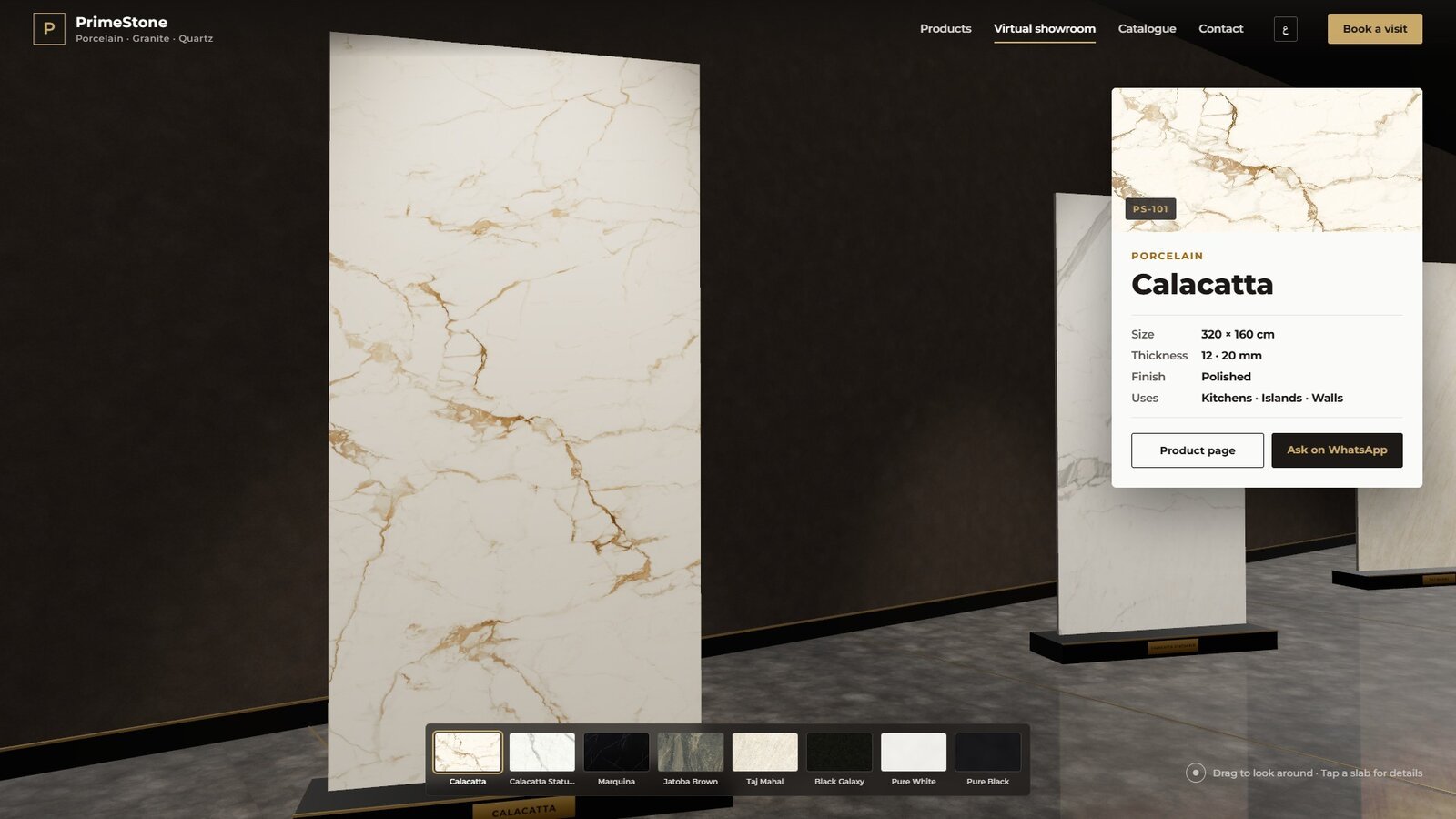
For the manager: cutting plans with the least waste, a stock nobody edits by hand, the workshop board as on paper, and a summary of today and the week on their phone.
Kerfline Pro page01 · Cut11 parts on one slab, one of them an L. Two flaws: one the plan avoided, one that fell inside the sink cut-out and does no harm.
What links the parts
You enter a product once in the website panel, with its photo and specs, and it appears on the website, in the catalogue and on the showroom screen under the same number.
The product with its number, photo and specs, in both languages.
A page per product
Generated from the same products
The customer picks the slab
Cutting, stock and the board under the same code.
What is updated in one place is updated everywhere, and the company never enters its data twice. The single code exists today in the website and Tarkeeb; the link to the workshop stock is built step by step on the same code.
A full workshop year simulated inside Kerfline Pro, with a limited opening stock and no purchases, down to the last slab.
Five steps for every company, in order. The heaviest is the slab photos, and we review them with you.
Logo, two colours, photos, texts and contact details, and one staff member responsible for the screen.
We set up the website in your identity, upload the products and review them with you, then launch on your domain.
Generated from the same products, in the design you choose.
The website products become a pack for the screen; we install it in the showroom and train a staff member.
The opening stock, the workshop board and the manager’s phone.
The trial
The trial starts with one screen and a pack of your materials and logo, with phone support for the two weeks. At the end, either the yearly subscription or the program stops, and your customers’ data stays on your device.
Prices and setup fees are discussed in the meeting, by number of screens and the parts you choose.